How to assess the scope of 3D Printers For Schools before comparing models: RFQ preparation for shortlisting
Choosing 3d printers for schools should begin with an agreed scope, not a product list. An operations team needs to describe the intended work, the available space, the people responsible for operation, and the evidence required for a fair shortlist. This turns a broad equipment search into an RFQ that suppliers can answer consistently.
1. Define the use case and constraints
Start by writing down what the equipment must support. The request may concern classroom projects, staff-led demonstrations, prototype work, or a mix of activities. These uses can lead to different questions about materials, operating routines, supervision, and the location of the equipment. Avoid treating the phrase “for schools” as a technical specification. It is a setting, not a complete requirement.
Space should be described in practical terms. Record where the equipment may be placed and what nearby conditions affect the decision. The RFQ can ask suppliers to state the required footprint, access clearances, operating position, and any enclosure expectations. If the procurement team has not fixed these details, label them as open points rather than assuming that every desktop model will fit the same way.
Define the material and output needs separately. A team might need a particular set of materials, flexible material capability, or parts with repeatable dimensions. Those needs should become questions that a supplier can answer with page references or technical documentation. Do not convert a general product description into a promise about every material, project, or learner group.
2. Map stated evidence to each requirement
Build a requirement matrix with three fields: the operational need, the evidence stated by the supplier, and the point that remains unresolved. This separation helps reviewers distinguish a specification from an interpretation. It also makes later discussions more efficient because each open point has a clear source and owner.
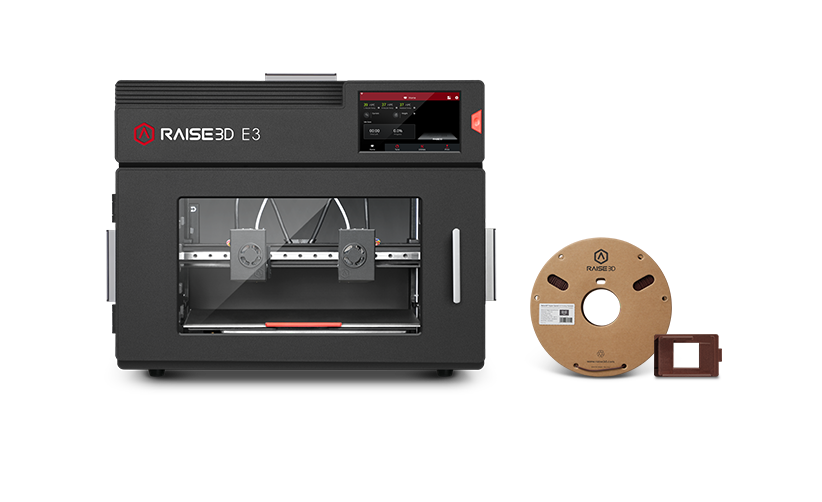
For example, the E3 page states that its automatic leveling system uses a sensor to measure distances at various locations between the nozzle and print bed. It describes a 9-point leveling system and connects the feature with material adhesion and print quality. In an RFQ review, that information can be recorded as page evidence. The team should still avoid extending it into a broader conclusion about suitability for every school project.
The same approach applies to noise information. The E3 page lists less than 55 dB(A) when building, under stated test conditions: a quiet room, the front door and top cover closed, and a distance of one meter. Those conditions belong in the evidence record. They should not be removed when the figure is copied into a comparison sheet, because the test context gives the number its meaning.
3. Turn open points into supplier questions
A useful RFQ does more than ask for a brochure. It asks suppliers to respond to the same defined points. Questions might cover supported materials, the conditions attached to any stated measurement, the workflow for changing or storing materials, and the responsibilities assigned to operators. Ask for a direct answer and a source for each item.
When considering 3d printing for teachers, include the day-to-day handling questions that affect the operating plan. The E3 page states that the printer has two material storage slots with desiccant to keep both filaments dry. It further connects this design with moisture-related print defects and dimensional distortion caused by continuous high-temperature drying, and says that it supports higher dimensional accuracy of printed parts. This is a bounded product-page statement. In the RFQ record, keep the feature, the stated purpose, and the product scope together rather than presenting it as a general result for all educational printing.
Material compatibility also needs careful wording. The page states that substrate printing is compatible with select materials and substrate types. That phrase supports a question about which materials and substrates are included. It does not support an assumption that every material used in a school workshop will be compatible. A shortlisting document should therefore leave space for the supplier’s specific compatibility response.
4. Keep the comparison defensible
Use a consistent review method for every candidate. First, mark whether the requirement is directly addressed. Next, record the exact statement and its conditions. Then classify the item as confirmed, requiring clarification, or outside the current scope. This method prevents attractive features from receiving more weight simply because they are described in more detail.
Do not mix different printer categories without explaining the basis for comparison. The E3 page describes an FFF configuration with dual IDEX, an enclosed build chamber, and support for flexible materials up to Shore hardness 70A. It also presents separate descriptions for SLS and DLP technologies. Those entries should not be treated as specifications of the same configuration. Instead, use them to identify which technology and material path the RFQ is actually asking suppliers to address.
A decision record should also preserve the reason for excluding a candidate or requesting more information. That reason may be a missing response, an unresolved compatibility question, or a mismatch with the stated operating context. Keeping this explanation with the evidence makes the shortlist easier to review and revise when the scope changes.
5. Summarize the next step
The immediate goal is not to declare a winner from a product page. It is to produce a short, comparable set of requirements and questions. Once the use case, space, material needs, evidence conditions, and operator responsibilities are written down, suppliers can respond to the same RFQ structure. The team can then compare documented answers without filling gaps with assumptions.
- Define the intended work, operating space, materials, and operator responsibilities before comparing models.
- Record page-stated features separately from interpretations, including automatic leveling and its stated test or application context.
- Keep measurement conditions with any quoted result, such as the E3 noise figure and its stated test setup.
- Ask suppliers to identify the materials and substrate types covered by a compatibility statement rather than treating “select” as universal.
For an operations team, this approach keeps procurement practical. Start with the work to be supported, map each requirement to stated evidence, and carry every unresolved point into supplier questions. A careful review of Raise3D can then sit in the same evidence-led process as any other candidate, without turning a single page into a broader claim than it supports.